


7 Pet Portrait Mistakes to Avoid When Ordering
From blurry photos to rushing the preview, here are seven common mistakes when ordering a custom pet portrait and how to avoid them.
7 Pet Portrait Mistakes to Avoid When Ordering
Pet portraits are supposed to be one of those purchases you feel great about from the moment you open them. You pick a style that fits your dog's personality, upload a good photo, and a few days later something arrives that actually looks like them — not a generic illustration with their name in a curly font, but a real likeness you want to put on the wall.
But ordering a custom portrait can go wrong in ways that aren't obvious until the finished piece arrives. At MaginePaw, we see the same mistakes come up again and again, and nearly all of them are completely preventable with a little preparation. Here are seven things worth watching out for before you place your order.
The photo you start with is almost everything
Three of the most common mistakes are really the same mistake in different forms: not giving enough attention to the reference photo.
The first is sending a blurry or low-resolution image. A photo that looks perfectly fine on your phone screen can turn out to be soft and grainy when an artist examines it at full size. The one thing that can't be compensated for is blurry eyes. If the iris and pupil aren't clearly defined, the artist has to invent detail that should be there, and invented details rarely match what you actually see when you look at your pet. Before uploading, zoom in to 100% on a laptop or desktop. If you can see the ring of color in the iris and a catchlight in the eye, you're in good shape. If the eyes look like dark smudges, keep looking through your camera roll.
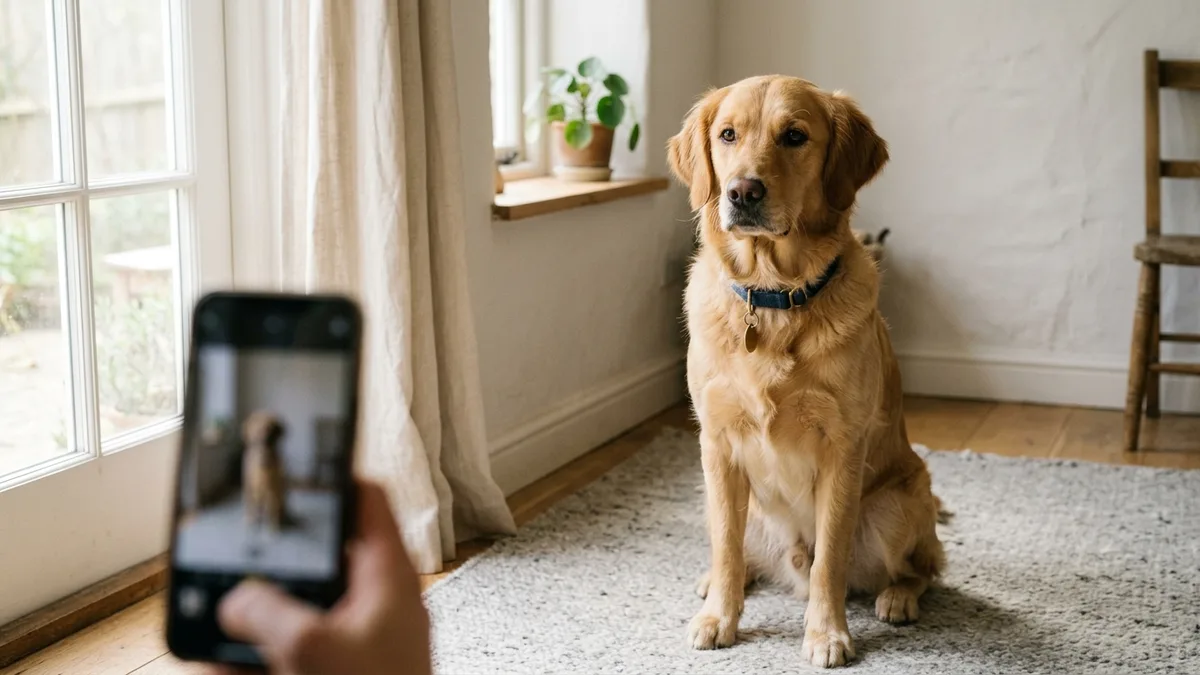
The second is choosing a photo where your pet isn't looking toward the camera. Profile shots and three-quarter views can work well for certain art styles. But if you want a portrait that feels like your pet is genuinely present — making eye contact, holding your attention the way they do when they want something from you — you need them looking at or near the lens. Photos taken when your pet doesn't know you have the camera out often produce the most natural expressions. Alternatively, have someone stand behind you or make a noise off-camera to catch their attention at the right moment.
The third is using photos with heavy filters or edits. If a warm Instagram filter has shifted your cat's orange fur toward yellow, the artist will paint them yellow — because that's what the photo shows. If portrait mode on your phone aggressively blurred the background, it may have also softened the edges of your pet's face, removing real detail. Send the original, unedited file whenever possible. Most phones save the original alongside the edited version. If you only have the filtered one, mention it in the notes so the artist can compensate.
Match the style to the photo you actually have
Different art styles handle imperfect source photos very differently. A highly detailed realism style demands a lot from the source image — sharp light, clear texture, and enough resolution to be meaningful. If your photo was taken in dim indoor light, at a distance, or through a window, a more painterly or illustrative style will produce a better result because it has room to interpret and fill gaps without those gaps becoming visible flaws.
You can browse all twelve signature styles at /styles and see examples of what each one looks like with different types of pets and lighting. As a general principle: the more technically precise the style, the better the source photo needs to be. When in doubt, choose a style that gives the artist more latitude to make decisions.
Don't underestimate the format decision
People often default to the smallest, least expensive format and then wish they'd gone bigger once they see the finished piece and realize they wanted something to frame. A digital portrait at $29 is excellent for sharing online, setting as a phone wallpaper, or keeping in a folder. But if the goal is to hang it somewhere it matters, the printed formats starting at $39 give you something that can actually hold a room.
Before you order, think about where this is going. If it's above a fireplace or on a focal wall, you want something substantial — a larger canvas or framed print. On a gallery wall alongside other pieces, a smaller format integrates well. On a desk or bookshelf, a poster is usually plenty. The format question is much easier once you've thought about placement first, rather than after the portrait is already done.
Fill in the notes field
When you place an order, there's a notes field. Most people leave it blank. That's a missed opportunity.
The notes field is where you tell the artist what makes your pet your specific pet. Your dog has one ear that folds forward even when both are supposed to stand upright. Your cat has a white patch under her chin that barely shows in most photos. Your dog's eyes are actually amber, but cameras consistently read them as dark brown.
These are the details that separate a portrait that looks like a dog from one that looks like your dog. You don't need to write a biography — three or four specific, concrete observations is enough. But taking two minutes to fill in the field consistently produces a more personal result than leaving it empty and hoping the artist picks up on everything from the photo alone.
Don't rush through the preview
Before any portrait moves to production, we send a free watermarked preview. It's there specifically so you can evaluate the likeness before anything is finalized — to check that the proportions feel right, the coloring is accurate, and the expression captures something true about your pet.
Some people approve the preview too quickly without really examining it, and then have questions about the finished piece that could easily have been addressed at that stage. Take the time to look at the preview on a large screen rather than your phone. Compare it side by side with your reference photo. If the eyes are a slightly wrong shape, if the coat reads too warm or too cool, if the face looks a little narrower than it should — say so. That's exactly what the preview step is designed for, and we'll address it before anything ships or prints.
Every portrait at MaginePaw is painted in six takes with an automated likeness review between rounds, so by the time the preview reaches you, it's already gone through multiple refinements. But your eyes know your pet better than any automated system does, and your feedback at the preview stage is the most useful input in the whole process.
One more thing worth knowing
Even a skilled artist working from a great photo is making interpretive decisions. A portrait is not a photograph. It's someone's careful reading of a photograph, filtered through a particular visual style. The goal is a faithful likeness with warmth and character — and those two things occasionally pull in slightly different directions.
The way to get the best possible result isn't to hope for the best and see what arrives. It's to start with a sharp, natural, close-up photo where your pet's face is clearly visible, choose a style that suits the image you have, tell the artist something specific about your pet in the notes, and actually engage with the preview when it comes. Those four steps, done thoughtfully, account for almost everything that determines how a finished portrait turns out.