


Best AI Pet Portrait Generators in 2026: An Honest Look
A clear-eyed look at what actually matters when picking an AI pet portrait generator in 2026, plus how to test one before you buy.
Best AI Pet Portrait Generators in 2026: An Honest Look
There are a lot more AI pet portrait tools around now than there were even a year ago, and most of them will happily take your $20 and hand you something. The question isn't really "can this app make a picture of my dog" anymore. It's whether that picture actually looks like your dog, whether the style holds up when you print it big, and whether the company will do anything if it comes out wrong. That's what this comparison is really about.
We make MaginePaw, so obviously we're not a neutral party here. But we've looked at enough competitors, and heard from enough customers who tried other tools first, to talk about this honestly, including where we fall short.
What actually separates a good tool from a mediocre one
Most apps in this space use the same handful of underlying image models, so on the surface the outputs can look similar in a screenshot. The differences show up in three places: likeness (does it keep your pet's actual markings, ear shape, and expression, or does it drift toward a generic dog), style range (is it one filter dressed up twelve ways, or genuinely different art directions), and what happens after generation, meaning print quality and support if you're unhappy.
A lot of cheaper tools skip quality control entirely. You upload a photo, an algorithm spits out a result, and that's the transaction. If the AI mangles your cat's one white paw or gives your pug a weirdly long snout, tough luck. We built MaginePaw around a different process: every portrait is painted in 6 separate takes internally, then run through an automated likeness review before you ever see it, so the version we show you has already been checked against your pet's actual features. It's not perfect every time, nothing automated is, but it catches a lot of the obvious misses before they reach you.
Style depth versus style quantity
Some generators advertise fifty or a hundred "styles" that are really just five base looks with different color filters slapped on. It's worth actually scrolling through a few sample outputs before you commit, because a renaissance-oil style and a "renaissance-oil-but-blue" style are not two different things.
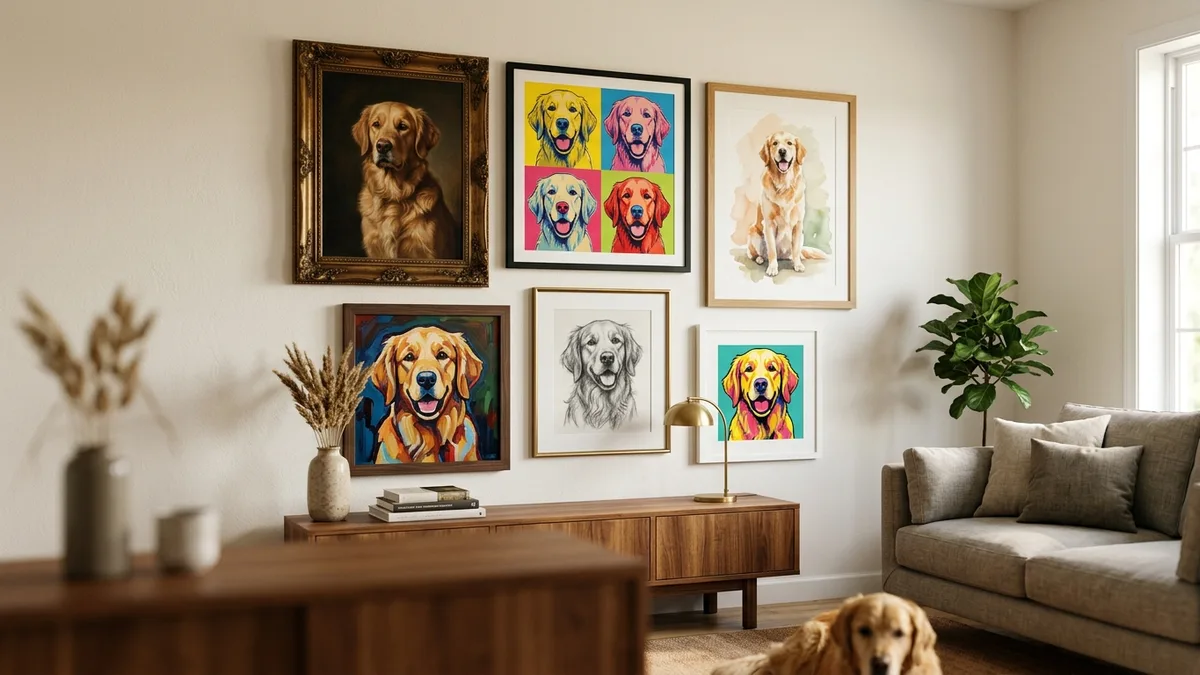
We keep our range at 12 signature styles plus 130 themed portraits (holiday scenes, sports jerseys, fantasy settings, that kind of thing), and we'd rather have that many done properly than three hundred done thinly. If you want to see the actual range rather than take our word for it, the /styles page has real example portraits for each one, not mockups. That's a good habit generally when comparing tools: look at the gallery, not just the marketing copy.
How the pricing actually breaks down
This is where a lot of comparisons get vague, so here are real numbers. A digital portrait from MaginePaw is $29. Physical products, posters, canvas, and framed prints, run from $39 up to $219 depending on size and framing. Shipping is free within the US on orders over $75, which usually means it's free once you add a second print or go up to a larger canvas.
When you're comparing this to other generators, ask specifically whether the print price includes the digital file or if that's an upsell, and whether shipping and framing are bundled in the number they show you first. A lot of "$19 poster" ads turn into $45 by checkout once framing and shipping get added. Compare the final number, not the headline one.
What a repaint guarantee actually protects you from
Even with a review step built in, AI portraits sometimes miss something a human would catch immediately, an off-color eye, a tail that doesn't sit right, a coat pattern that got smoothed over. This is genuinely the biggest gap between cheap generators and services built around getting it right. If a tool has no way to flag a bad result and try again, you're stuck with whatever you got.
We offer a free repaint if the portrait doesn't look like your pet, no argument, no upcharge. Before you buy from any generator, it's worth checking their return or revision policy specifically for AI accuracy issues, not just general refunds. A lot of policies cover damaged shipping but say nothing about the AI just getting your dog's face wrong.
Testing before you commit
Honestly, the best way to compare generators isn't reading comparison posts (including this one), it's uploading the same photo of your pet to a few different tools and looking at the raw output side by side. Most decent services, including ours, will show you a free watermarked preview before you pay anything, so you can see how your specific pet translates into that style before committing. If a tool wants payment before showing you anything, that's a reasonable reason to be cautious.
When you do this test, use a clear, well-lit photo where your pet's face is fully visible, not a blurry action shot. The generator's output quality depends a lot on what it has to work with. If you want more on this, it's worth reading a good photo-tips guide before you even start comparing tools, since a mediocre source photo will make every generator look worse than it is.
Where breed-specific detail matters
One thing that separates decent generators from great ones is how they handle breed-specific features, things like a golden retriever's feathering, a corgi's proportions, or a Siamese cat's point coloring. Generic tools often flatten these details into a "generic dog" or "generic cat" template. If you have a breed with distinctive markings or proportions, check whether the generator has handled that breed well before, our /breeds/dog/golden-retriever page has real customer examples if you want to see how that specific breed tends to render, and most decent services will have similar galleries for common breeds.
The honest bottom line
There isn't one single "best" generator for everyone. If all you want is a fun, throwaway image for a group chat, a free basic tool is fine and you shouldn't overpay for it. If you want something you'll actually print and hang up, or give as a gift, the things that matter are likeness accuracy, real style variety you can preview beforehand, transparent all-in pricing, and some kind of guarantee if the AI gets your pet wrong.
We built MaginePaw around those four things specifically because we kept hearing from people who'd tried a cheap generator first and ended up with a portrait that looked like "a dog" instead of their dog. That's the actual bar worth measuring any of these tools against, ours included: does it look like your pet, or does it look like a nice picture of a similar one.